How to Switch States in Jquery Between Yes or No
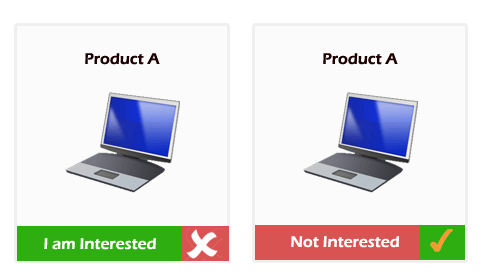
.CrossMe
 {
    background : url(CrossMe.gif) no-repeat;
    cursor     : pointer;
    float      : left;
    height     : 44px;
    width      : 51px;
 }

 .TickMe
 {
    background : url(TickMe.gif) no-repeat;
    cursor     : pointer;
    float      : left;
    height     : 44px;
    width      : 49px;
 }

 .NotInterested
  {
    background : url(NotInterested.gif) no-repeat;
    cursor     : pointer;
    float      : left;
    height     : 44px;
    width      : 241px;
  }

 .Interested
 {
    background : url(IamInterested.gif) no-repeat;
    cursor     : pointer;
    float      : left;
    height     : 44px;
    width      : 243px;
 }
Jquery to Change Class
$('document').ready(function(){
    $('.CrossMe').click(function(){
        $(this).toggleClass('TickMe');

        var prevClass = $(this).prev().attr('class');
        if(prevClass=='Interested')
        {
          $(this).prev().removeClass('Interested').addClass('NotInterested');
        }
        else
        {
          $(this).prev().removeClass('NotInterested').addClass('Interested');
        }
    });
});
HTML to create divs